Storm Tunnel
Private AWS databases, one click away.
Storm Tunnel is a native macOS menu bar app for reaching private AWS RDS databases and internal services through AWS Session Manager. Save a tunnel once, then start it from the menu bar and point your database client at localhost. No bastion host, public endpoint, VPN, or open SSH port.
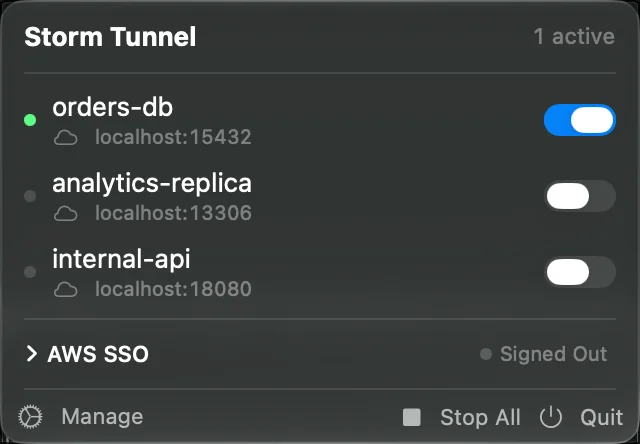
In use
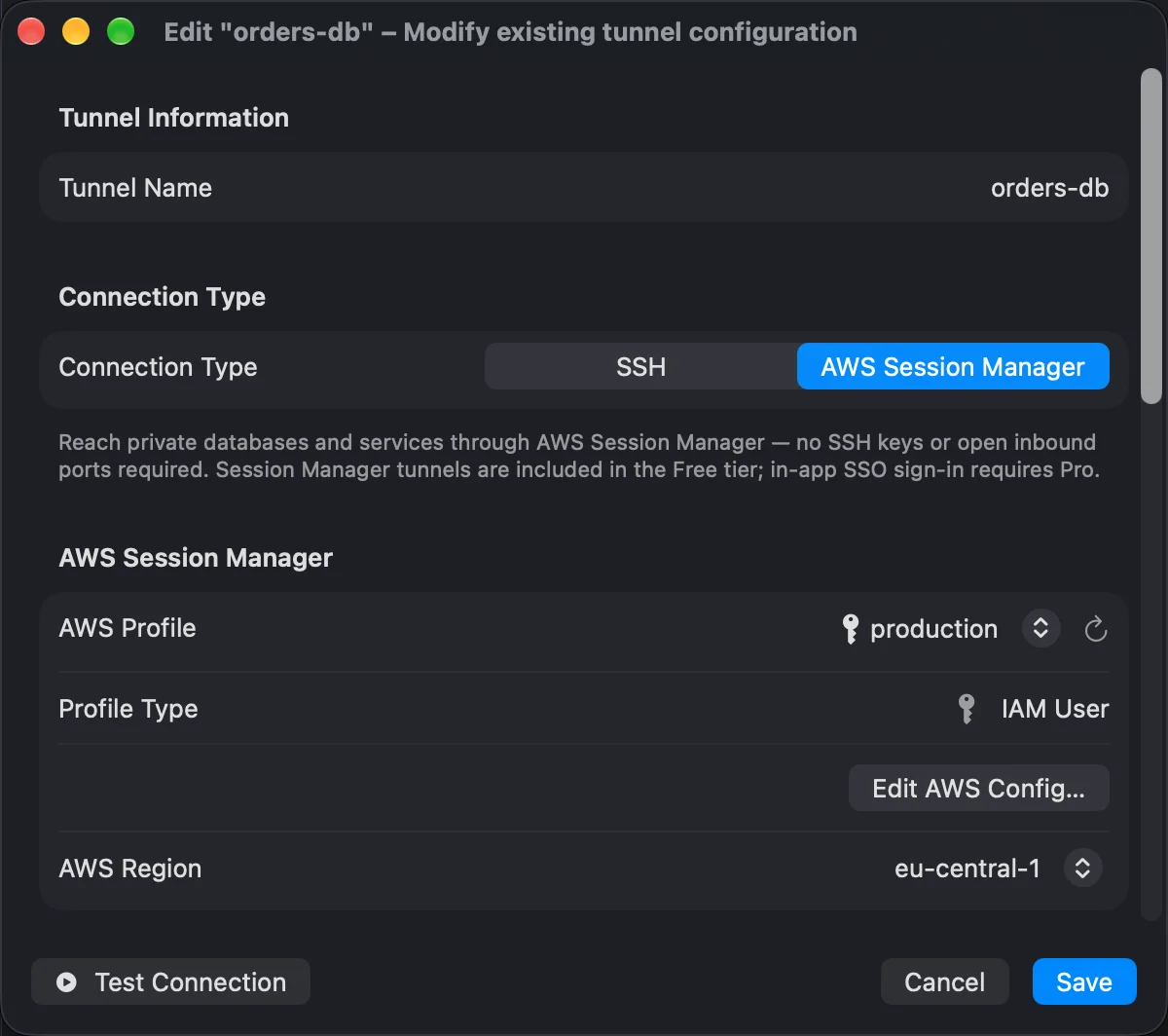
The tunnel editor: profile, region, and Session Manager settings, saved once. 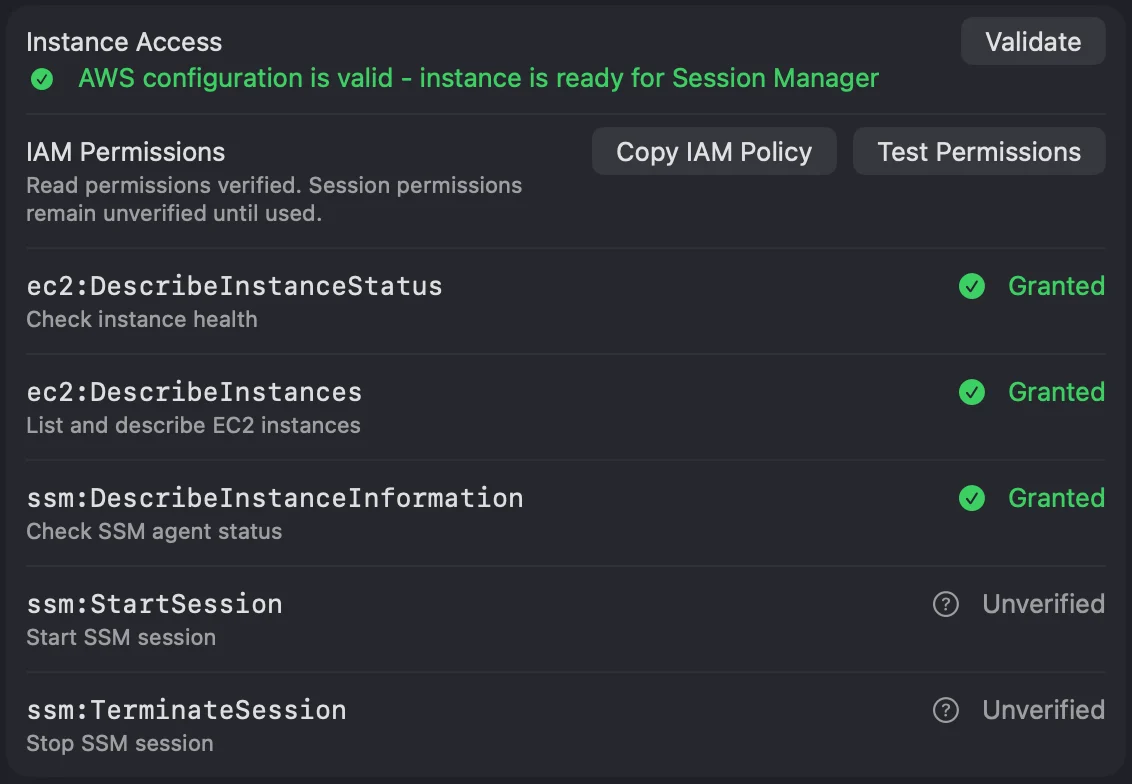
Check Access: what is verified, and what is still unverified.
What it is
It runs the AWS CLI and Session Manager plugin you already have, so access stays in IAM. Check Access tests credentials, instance visibility, and permissions before you connect, and Copy IAM Policy gives your AWS administrator the policy to grant. SSH tunnels to bastions and self-managed servers are supported too. Passwords, SSH keys, and SSO tokens stay in the macOS Keychain, AWS access keys are never stored, and the app has no analytics or telemetry.
- Stack
- Swift 6 · macOS 15 or later · native menu bar app
- Works with
- AWS Session Manager · RDS and Aurora · SSH
- Plans
- Free for one tunnel at a time · Pro for unlimited tunnels and in-app AWS SSO sign-in
- Availability
- Notarized direct download · updates in the app
What it doesn’t do
- It needs AWS CLI v2, the Session Manager plugin, an AWS profile, and an online SSM-managed EC2 instance that can reach the database. It doesn’t set up that infrastructure for you.
- It doesn’t grant access. Your AWS administrators still decide who can start a session, through IAM.
- Mac only, macOS 15 or later. There is no Windows or Linux version.
- Without a license, one tunnel runs at a time, and AWS SSO profiles sign in with aws sso login in Terminal.
- The source is private, unlike Dimmerly’s.
Latest
Version 0.9.4 (14 November 2026), still in the beta. You can create AWS profiles inside the app, including IAM Identity Center (SSO), access keys, console sign-in, and assume-role with MFA. MFA codes are asked for in the app, a taken local port names the process using it, and error details link to the matching guide page.
Full changelog (opens in a new tab) How it’s built: the engineering case study (opens in a new tab)Something like this to build?
I take compact games, utilities, and prototypes from shaping the idea through release. Send me what it is and roughly when.
Opens LinkedIn: connect with a one-line note.